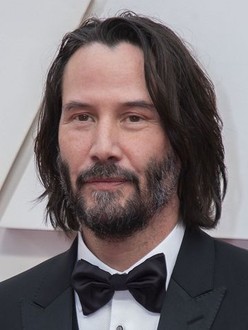
Input
Output
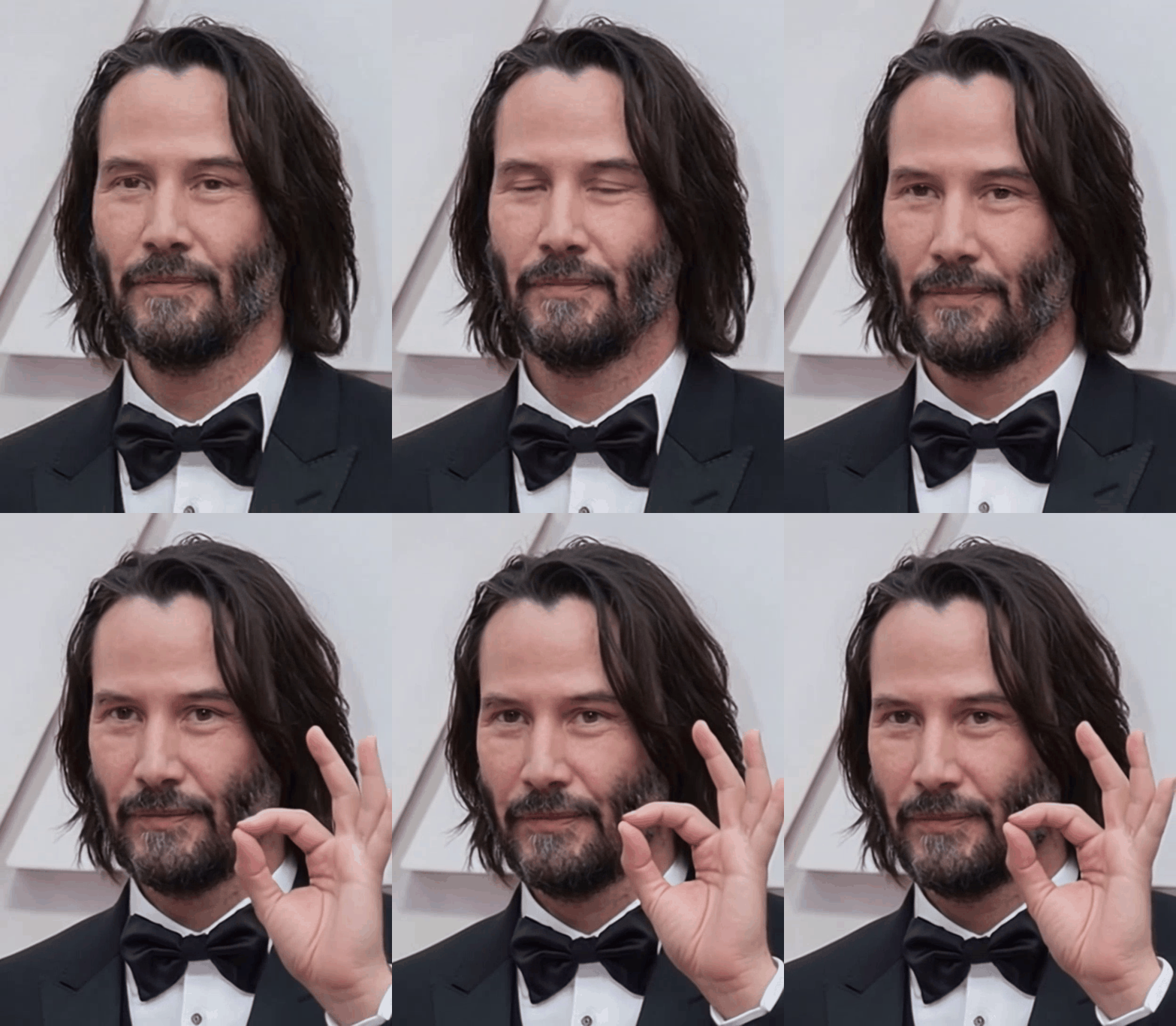
Prompt
The man winks and shows ok fingers, keep it quick and short. Same person same background.
Upload a photo. Describe the motion. Get a stunning animated GIF with no design skills, no software, and no waiting.
What Is an AI Image Animator?
An AI image animator takes a single still photo and uses generative AI to produce a short, looping animation. It turns a frozen moment into something alive. Where traditional animation required frame-by-frame work from a skilled designer, modern AI tools like Giffator do it from a plain-language text prompt in under a minute.
You describe the motion you want — something like "leaves blowing in the wind" or "a product rotating on a pedestal" or "hair gently swaying". The AI interprets that description and generates smooth, realistic motion that fits your image.
The result is a high-quality animated GIF you can drop straight into social posts, product pages, presentations, or messaging apps.
How Giffator's AI Image Animator Works
Step 1: Upload Your Image
Drop in any JPEG, PNG, or WebP file. The AI uses it as the anchor frame so every animated element stays faithful to your original photo.
Step 2: Describe the Motion
Type what you want to happen in plain English. Be as specific or as brief as you like. The more detail you give, the more precisely the AI can execute it. See our prompt writing guide for tips on getting great results.
Example prompts that work well:
- "a snow leopard leaping across a frozen river, slow motion, cinematic lighting"
- "product bottle rotating slowly on a clean white surface"
- "fire flickering in a fireplace, warm amber glow, subtle smoke"
Step 3: Download Your Animated GIF
The AI renders your animation and delivers a 720p looping GIF in 30–35 seconds. One click to download.
Who Uses an AI Image Animator?
Social Media Creators
Animated posts stop the scroll. Turn a flat product photo or portrait into eye-catching motion content for Instagram Reels thumbnails, X posts, Reddit, and Discord — all without a video editor.
E-commerce and Product Teams
Static product shots don't convey texture, movement, or scale. Animate a shoe rotating, a candle flickering, or a garment swaying on a hanger to show the product the way a physical display would.
Marketers and Agencies
GIFs in email campaigns outperform static images in click-through rates. Animate a hero image, a call-to-action banner, or a client's product photo in minutes rather than hours.
Developers and App Builders
Need a quick animated asset for a UI prototype, app store listing, or onboarding screen? Upload a mockup and animate it without leaving your workflow.
Personal and Creative Use
Animated profile pictures, personalized GIF messages, artistic experiments. If you can imagine the motion, you can describe it.
Why Giffator vs Other AI Image Animators
The GIF format is intentional. Unlike MP4 video, a GIF plays automatically everywhere: in emails, Slack, Notion, X, Reddit, iMessage, and every major CMS. No player needed, no autoplay permissions, no buffering.
- Output format: GIF — share anywhere, no video player required
- Turnaround: 30–35 seconds
- Pricing model: credits, no subscription
- Credits expire? Never
- Skill required: none — plain English prompts
- File size: optimized for web
Pricing
Starter — $4.85 one-time · 50 credits · 25 GIFs
Pro — $7.65 one-time · 100 credits · 50 GIFs ⭐ Best Value
Every credit pack is a one-time purchase. No subscription, no renewal, no hidden fees. Credits never expire.
Frequently Asked Questions
What types of images work best with an AI image animator?
Clear, well-lit photos with a defined subject perform best. Portraits, product shots, landscapes, and pets all animate well. Low-resolution or heavily compressed images may produce less detailed motion, so 800px wide or larger is ideal.
Does it work on any image format?
Yes. Giffator accepts JPEG, PNG, WebP, and most common formats. The AI handles format conversion internally.
How long does the animation take?
Most GIFs are ready in 30–35 seconds from submission. A real-time progress indicator shows you exactly where your job is in the queue so there's no manual refreshing.
Can I animate product photos for e-commerce?
Absolutely. Product animation is one of the most popular use cases. Try prompts like "slow rotation on a clean white background" or "gentle zoom with soft ambient lighting" for clean, professional-looking results.
Do failed generations use up credits?
No. If a generation fails due to a server or AI error, the credit is automatically refunded to your account.
Is there a subscription?
No. Giffator is credit-based with no recurring charges. Buy once, use at your own pace.
Ready to try it? Animate your image now →